 Keepbook
The checkbook register that doesn't lose your data.
Keepbook is a register for iPhone and iPad. You write down what you spend and deposit, and it keeps the running balance. It makes a dated backup every day you use it.
Coming soon to the App Store
The button starts an email to us. You get one reply when Keepbook is released, and nothing else.
- No ads
- No bank linking
- No sign-up
- No subscription
Coming from Accounts 2 or 3, or another app? Bring your register with you.
Years of entries, kept safe.
A register is only useful if it is still there next year. Keepbook is built around that.
-
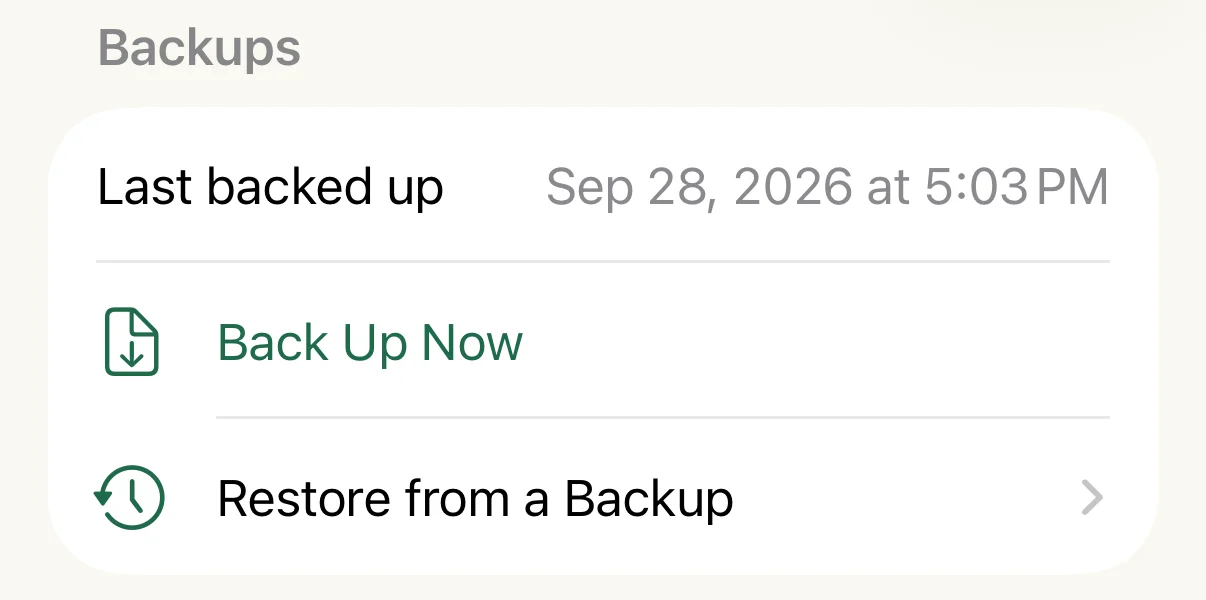
A dated backup every day you use it
Each backup holds your whole register, every account and every entry, and is kept for 30 days. Settings shows when the last one was made, and you can make one yourself at any time.
-
Backups are separate files
They are ordinary files in the Keepbook folder of your own iCloud Drive, kept apart from the app. If something goes wrong with the app, the files are still there. With iCloud Drive turned off, they are kept on the device instead.
-
Restore any day
Pick a backup and your register goes back to that day's balances. Keepbook saves a copy of the register as it is now first, so you can come back to it.
-
Exact to the cent
Amounts are stored as whole cents. The balance math is checked against 10,000 random entries and has to match to the cent.
Everything a paper register does, and the sums.
Keepbook does one job. There are no budgets, graphs or reports to set up.
-
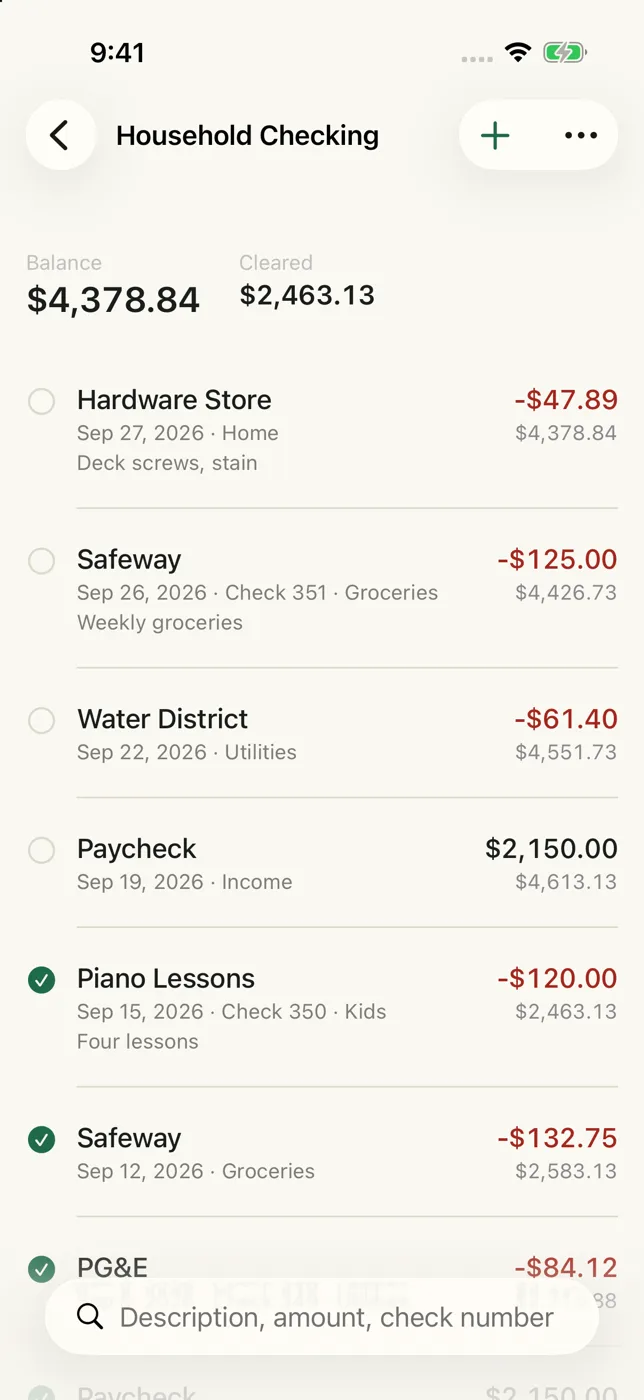
Running balance on every row
Date, description, category, check number and amount, with the balance after each entry.
-
Fast entry
Past descriptions fill in the category for you, and the next check number is suggested.
-
Reconcile against your statement
Tick the entries your bank shows. Keepbook compares the cleared balance with the statement balance you type in.
-
Recurring entries
Weekly, every 2 weeks, every 4 weeks, twice a month, monthly, quarterly, twice a year or yearly.
-
Transfers between accounts
One-time or recurring. A transfer appears in both registers and always nets to zero.
-
Search
Find an entry by description, amount, check number or memo.
-
iPhone and iPad, in step
Syncs through your own iCloud on devices signed in to the same Apple Account. There is nothing to sign up for.
-
Export and print
Save any account as a CSV file that opens in a spreadsheet, or print the register.
-
Large text and dark mode
Every screen works at the largest text size your iPhone offers.
-
Locked with Face ID
Open the register with Face ID, Touch ID or your passcode.
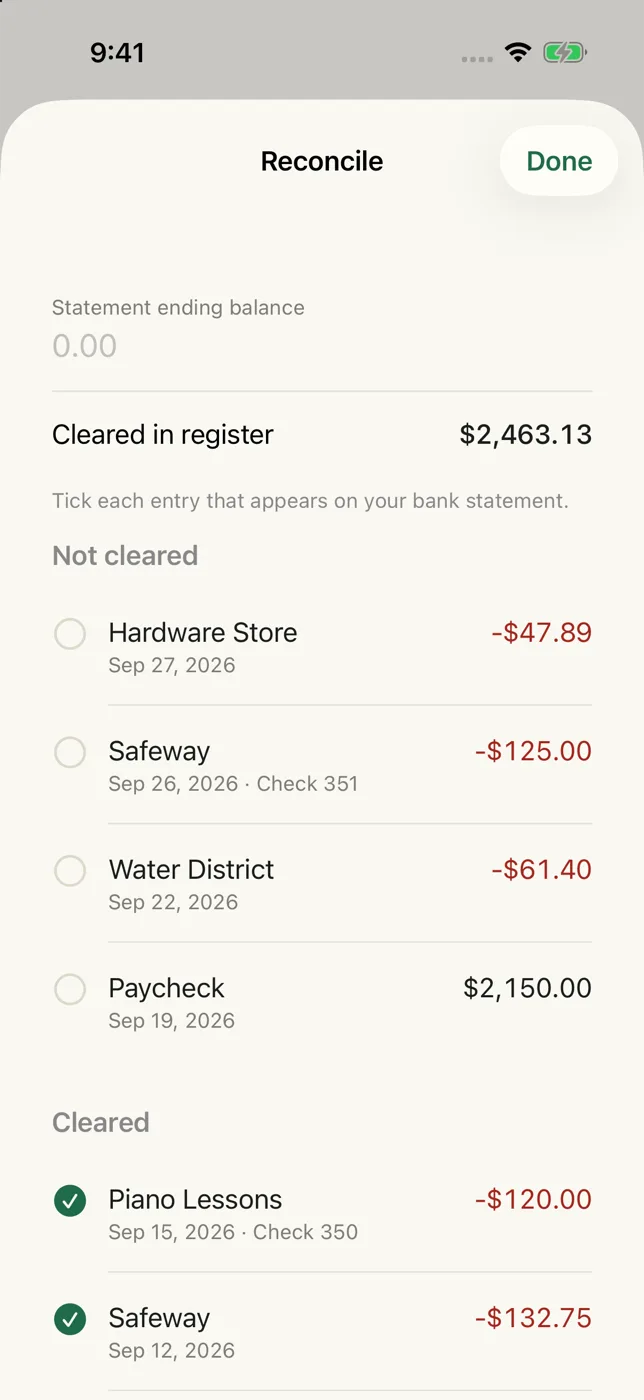
Reconcile
Tick each entry that appears on your bank statement.
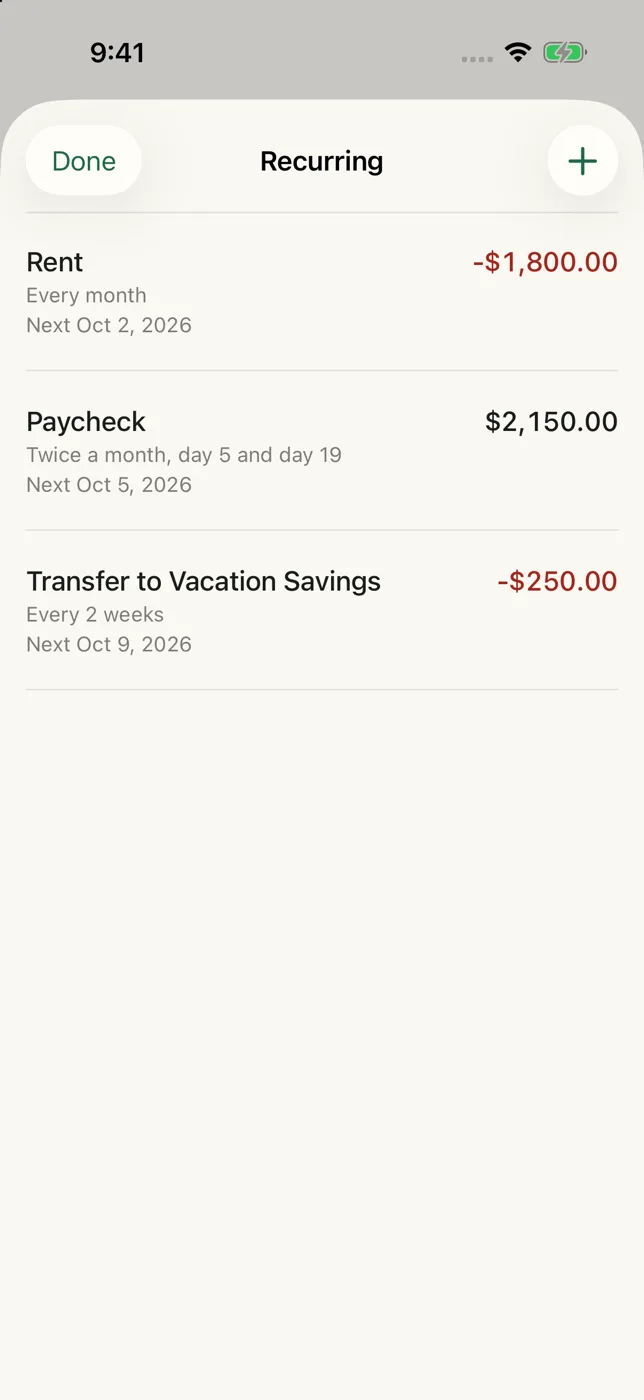
Recurring
Rent, paychecks and transfers, each with its next date.
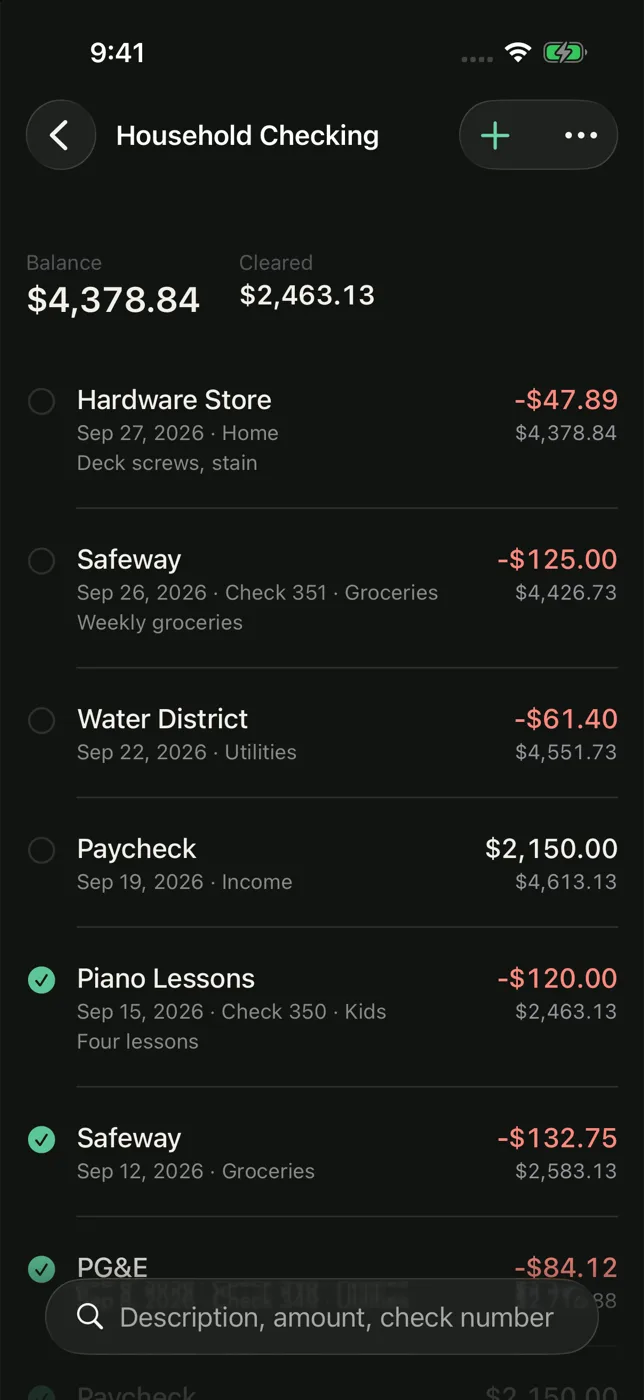
Dark mode
The same register, easier on the eyes at night.
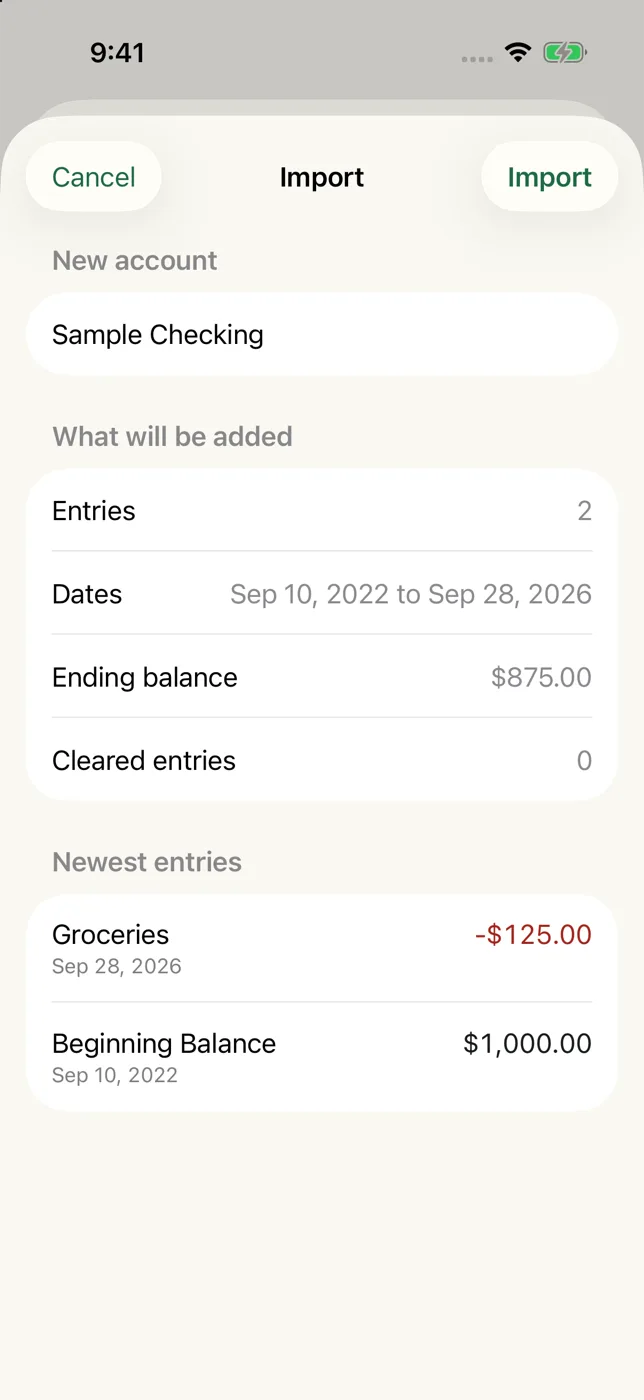
Bring your register with you.
If you keep your register in Accounts 2 or Accounts 3, export each account as a CSV file, a plain list that any spreadsheet can open, and choose it in Keepbook. You see the number of entries, the dates and the ending balance first. Nothing is saved until you tap Import.
Coming from a different app, or from a spreadsheet? Arrange your entries in seven columns and Keepbook imports them the same way. See the seven columns.
Pay once. Keep it.
Try Keepbook free. If it suits you, unlock it one time.
Free
$0
- One account
- Up to 50 entries
- Daily backups and restore
- Import, so you can try it with your own register
Full unlock
$9.99 one time
- Everything in Free
- Unlimited accounts and entries
- iCloud sync between iPhone and iPad
- Export and print
Price in US dollars. The unlock is a single purchase through the App Store and can be restored on a new device. Importing a file with more than 50 entries needs the unlock. You still see the preview first, and nothing is saved until you decide.
Your register stays yours.
Keepbook has no analytics and no advertising. Nothing you enter is sent to us. Your entries live on your device and in your own iCloud. Read the privacy policy, or write to support@getkeepbook.com.
Tell me when it's outOne email when Keepbook is released, and nothing else.